Bootable Linux dengan LinuxLive USB

Bootable Usb 

Biasanya orang sulit untuk belajar linux karena ribet dalam hal instalasi ataupun penggunaan,sehingga para developers ber inisiatif untuk menciptakan aplikasi yang membantu dalam hal penginstalasi awal untuk linux.dan dengan LinuxLive Usb kita dapat dengan mudah membuat bootlabe sendiri menggunakan flashdisk.untuk itu silahkan download LinuxLive Usb nya terlebih dahulu pada gambar ini langsung.

lili,linux,bootable,
Download Lili USb
untuk instruksi penginstalannya silahkan lihat cara berikut :

Persiapan : 


Buka LinuxLive USB Creator dari menu Start -> All Programs -> LinuxLive USB Creator

Membuat kunci USB Linux Live maka proses lima langkah mudah:

1: Pilih kunci USB atau drive daftar

2: Pilih file ISO atau CD

3: memilih ukuran data persisten (biasanya antara 250 MB dan 2 GB)

4: memeriksa opsi yang Anda inginkan

5: Klik tombol untuk mulai membuat petir

Selain itu, setiap langkah yang diperlukan (1, 2 dan 3) setiap lampu menunjukan keadaan:

Lampu merah: perikasa kembali pada yang error,karena tidak dapat melanjutkan bootable

Orange: ada sedikit masalah pada salah satu tahap,tapi masi dapat dilanjutkan

Hijau muda: Mantaap 

Bootable,linux,usb bootable,
Bootable Linux 

USB :

Hal pertama dari tahap ini adalah pemilihan usb dengan benar.

dengan cacatan :

perangkat USB harus menggunakan format partisi FAT32 atau FAT *
biasanya 810 MB untuk ruang bebas,namun tergantung pada linux yang anda inginkan juga.
jika keadaan flasdisk anda bukan format seperti diatas,maka Linux Live Usb Creator akan meminta untuk memformat ketika nanti anda menekan lambang petir pada tahap terakhir.

Pemilihan Sumber :

Pilih file dengan format .ISO,atau menggunakan CD, Sebagai alternatif, Anda dapat menggunakan file IMG sebagai sumbernya akan tetapi resiko untuk WIPE PADA PERANGKAT ANDA dan Anda tidak akan memiliki akses untuk fitur-fitur  seperti Smart Cleaning, dan virtualisasi portable ...

Persistence :

Untuk pilhan ukuran pada data ini,hanya berfungsi dan di rekomendasi pada Ubuntu dan fedora.

Optional :

                    Virtual

pilihan virtual ini berguna agar bisa dijalankan melalui windows.

                    Hide File

file yang telah di bootalbe akan di hiden ,ini akan sangat berguna demi keamanan ketika salah hapus data.

                    Format USB

pilihan ini untuk format usb dengan formatan FAT 32.

Upgrade Ubuntu 14.04 LTS to Ubuntu 14.10

ubuntu,linux,upgrade,opensource
Upgrade Ubuntu 14.04 LTS to Ubuntu 14.10

Wondering the way to upgrade Ubuntu fourteen.04 LTS to Ubuntu fourteen.10? Well, we’re here to assist.

Canonical won’t be nudging users of fourteen.04 LTS to upgrade to the interim unleash of fourteen.10.

But that doesn’t mean that you simply can’t upgrade your rock solid honorable Tahr desktop to the (slightly underwhelming) Utopic imaginary creature.

To get notified of latest non-LTS Ubuntu releases you would like to “opt-in” via the computer code & Updates tool. this can be easy.

Open ‘Software & Updates’
Select the ‘Updates’ tab
Locate section titled ‘Notify Maine of a brand new Ubuntu version’
In the dropdown menu switch from ‘For long support versions‘ to ‘For any new version’
After shift you’ll wish to run a fast update.

Now you’re all set! the instant Canonical transfer the “upgrade” prompt to desktop users (often delayed compared to general ISO availability) you’ll be ready to upgrade to fourteen.10 through the computer code Updater tool.

How To Add New Repo

Ubuntu UNIX Distribution is additionally one amongst the foremost UNIX distributions in use nowadays have an enormous list of repositories, through these repositories you\'ll install applications that square measure in wish. the quantity is even easier repository you wish to use the repository from that the server nearest your space. this can speed up power applications downloaded from the server repository and can definitely prevent time.
ubuntu,linux,repo,gui,
Add Repo Ubuntu
This tutorial is the way to register a version of the Ubuntu UNIX distribution repositories for everything from the previous to the most recent owing to do a similar. The distinction is that the address of a bespoken repository with the version of Ubuntu that\'s used, as an example, the most recent nowadays is Precise placental (Ubuntu 12:04). Here below may be a thanks to register a brand new repository replaces the default repository closely-held by Ubuntu:

The first factor you ought to do is build a backup of your sources.list file which might be found within the directory / etc / apt, to create this backup you have got to vary yourself to become the superuser (/) merely} simply use sudo

$ Sudo cp /etc/apt/sources.list /etc/apt/sources.list.bak

At the time of running the above command you will be prompted to enter the user password is used, enter the password and then press ENTER and the sources.list file in the backup will be sources.list.bak.

The next step is to find the address of a local repository that you want to register, you can see it in writing \"12:04 Ubuntu Local Repository List\" to see the desired repository, this time we will use a local repository server Kambing. Open the sources.list file by using an editor such as vim, vim.tiny, or even nano to start editing.

     $ Sudo /etc/apt/sources.list vim.tiny

You can remove all contents of the sources.list file or simply add a line like the following at the very bottom of the sources.list file. Here is a list of the server repository Kambing:

     deb http://kambing.ui.ac.id/ubuntu/ precise play-proposed restricted universe multiverse
     deb http://kambing.ui.ac.id/ubuntu/ precise play-security restricted universe multiverse
     precise-updates deb http://kambing.ui.ac.id/ubuntu/ play restricted universe multiverse
     deb http://kambing.ui.ac.id/ubuntu/ precise play restricted universe multiverse

Immediately after this line is inserted, and then save the file sources.list. Now the repository is already registered repository of Kambing and you may need to update the configuration of the sources.list file. For the record, whatever you do in your sources.list file try to do an update to update the configuration.

     $ Sudo apt-get update

Let it run until the update process is complete and if the registration process has been completed, the local repository on your Ubuntu already completed and ready for use. Try to install an application as a local repository Ubuntu testing whether you are already running properly.

How To Returns the MySQL Root Password

 Returns the MySQL Root Password

password,mysql,
How To Returns the MySQL Root Password
As a info administrator, particularly MySQL security is important. At the time of installation of MySQL would be no dialogue to enter the MySQL root word, however completely different if you enter the word that was forgotten aka nonexistent from memory.

Well, the expertise on the author ever seasoned particularly infos managed by the database that's not your own installation and doesn't have a transparent record. don't throw in the towel to true and eventually menemunkan a way to modification the MySQL root word, here square measure the steps to vary the password:

First, confirm 1st that no alternative processes running on the info, otherwise you should sounding before the user for the info user doesn't perform the activity in this.

# /etc/init.d/mysql Stop

If the on high of methodology MySQL has not shut off the tactic, use the command:

     # Killall mysqld

Both run the MySQL in safe mode:

     # Mysqld_safe -skip-grant-tables &

The output can unremarkably be as follows:

 starting mysqld daemon with databases from / emu / lib / mysql
     mysqld_safe [6030]: started

Now  come in the MySQL data as root whereas not using a password:

     # Mysql -u root

Your current position is already in MySQL but haven\'t entered into any data, is presently entered into the information and update the mysql root user word modification:
   
mysql> use mysql;
mysql> update user set word = word (\"New Password\") wherever User = \'root\';
mysql> flush privileges;
mysql> quit

After running the on high of steps, then you are out of MySQL. Do stop safe mode MySQL process:

     # /etc/init.d/mysql Stop
The output ar attending to be roughly as follows:

     Stopping MySQL info server: mysqld
     STOPPING server from pelvic inflammatory disease file /var/run/mysqld/mysqld.pid
     mysqld_safe [6250]: terminated
     [1] + Done mysqld_safe -skip-grant-tables

Finally restart the MySQL service, and please attempt to get into the MySQL root user and positive identification that has been preset.

     # /etc/init.d/mysql begin
     # Mysql -u root -p

Malware Steal Password on Linux Server

KOMPAS.com - open offer package operating system package secure from well-known malware or virus attacks . thanks to this name , several devices place confidence in the rule operating system server package because the main brain .
linux,stollen,server,password
Malware Steal Password on Linux Server
However , this name slowly began tainted by the presence of malware infects web rule -based Apache server operating system package , was detected in Dec last year .

The latest news , rule discharged by the manufacturer ESET antivirus application , mentioning once more detected malware infecting backdoor manifold UNIX-based server package .

ESET Malware geographic point with success discover malware changed the rule is a backdoor SSH server on a operating system package .

Modified SSH daemon rule by ESET known as a UNIX / SSHDoor.A this , deliberately designed to be ready to steal necessary data , like username and identification .

" it's rough to establish however the SSH daemon rule has was this trojan enter and infect the server . potentialities for application of the rule used is out of date ( wants change / fixing ) , or identification rule is weak , " aforesaid Technical authority land ESET Yudhi sturdy , in an exceedingly press statement received KompasTekno rule , weekday ( 01/28/2013 ) .

Linux Malware / SSHDoor.A developed to be ready to access the server remotely infected rule mistreatment hardcoded identification or SSH key .

When the daemon is enabled , the backdoor can send associate scientific discipline and port data wherever the rule is active , together with the server 's hostname . Then , once users log in to the server rule is infected , the username and therefore the watchword was mechanically sent to a server closely-held by the hacker .

Secure Shell Protocol ( SSH ) protocol may be a general rule the OS and unremarkably wont to shield and secure the knowledge communication .

SSH protocol additionally it additionally serves to line the remote server , file transfer , and more. The perform makes the SSH protocol has direct access to the server .

SSH protocol is then used by means that of a changed rule .

Source

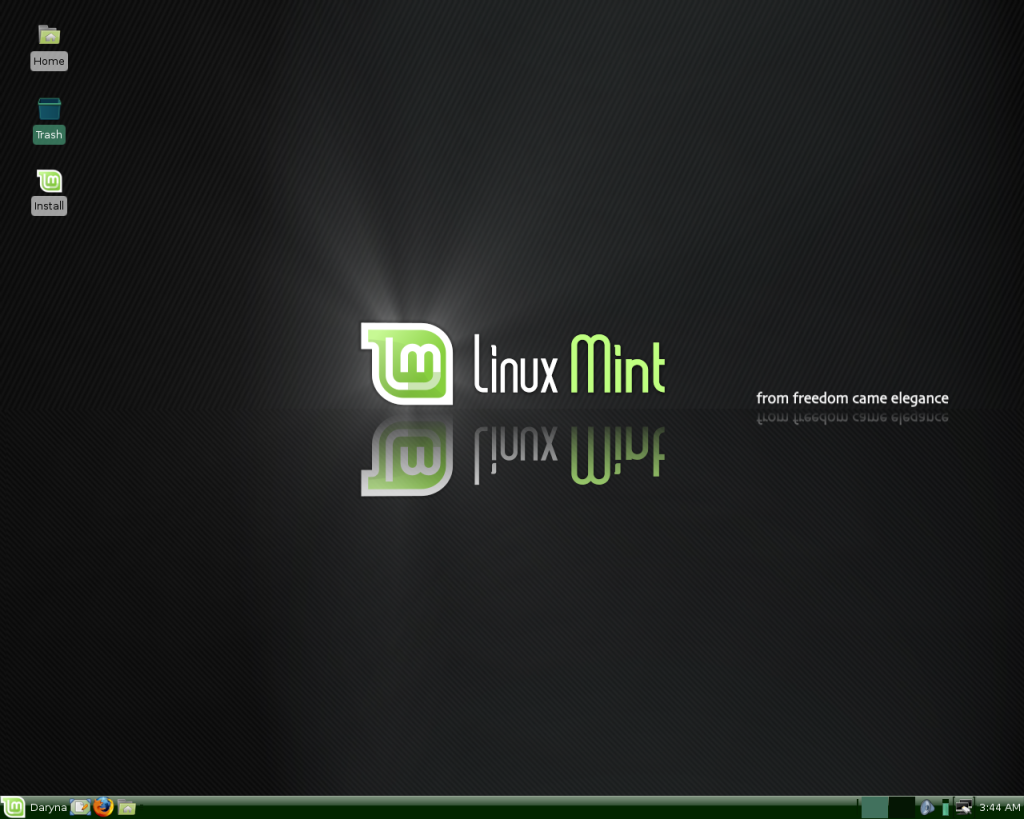
Linux Mint 15 XFCE fastest in its class

Linux Mint

Linux is Associate in Nursing open supply software system that may be used for a range of media like computer , Laptop , Netbook and mobile . Linux any time evolving into a more robust direction . And one in all the benefits of UNIX system} compared to different operating systems is speed , particularly for the server version . Then, a way to use Linux for the desktop ? From the read of our objective , there area unit some distros area unit slow , however some area unit in no time . Thus , we are able to not generalize that the Linux OS is usually quick . However , if the assessment is predicated on the show , in addition because the stability of the supporting computer code alone , we are able to draw the conclusion that Linux Mint fifteen XFCE quickest in its category . to the current could seem subjective, however let's have a look at what area unit the benefits of Linux Mint fifteen XFCE Olivia .

Linux,mint,Linux Mint,open source
Linux Mint


1 . In terms of look , Linux Mint fifteen XFCE is nearly no distinction with the cinnamon version . thus users still spoiled with elegant and trendy look .

2 . Use of RAM at idle is extremely lowest . greatly when put next with the Ubuntu Unity or perhaps another version of Linux Mint itself .

3 . Supporting computer code is much identical with Ubuntu / Linux Mint normally .

4 . Having a high level of stability .

Of the four factors higher than , of course, points #1 and a pair of that we have a tendency to create reference assessment . With an ideal desktop show and not wasteful of memory , after all we have a tendency to selected Linux Mint XFCE because the solely distro is that the quickest in its category .

Given this assessment is additional subjective, after all it's okay if you are doing not trust the fine print . But , if you only don't agree and have not tried it although , it helps you to put in it initial.

Wi-fi Honey defend of attacker

pada postingan kali ini saya akan memosting tutorial Wi-fi Honey, yaitu suatu tool pentester dan juga dapat menyerap bandwith dari si pemakai nya,
ketika pengguna salah menggunakan wifi honey, maka AP sekitar akan diserapnya, dan pengguna lain akan lambat, dan bagi pengguna yang akses tidak tahan wlan cardnya, maka akan lumpuh selagi wifi honey masih berjalan,
langsung aja disedot ni videonya ..


Update Iceweasel Di kali Linux

Ada yang pake Kali linux atau pun Debian,sudah tidak asing dengan browser ini kan ?
linux,kali limix,update iceweasel,iceweasel
Update Iceweasel


yups ini ,Iceweasel . browser default kali linux dan debian ,sekarang kita akan coba update ,
copykan repo di bawah ini ke /etc/apt/source.list  dengan editor favorit kalian.


deb http://mozilla.debian.net/ wheezy-backports iceweasel-release

Repo Kali Linux

linux,repo,update
Repo Kali Linux

UPDATE REPO KALI LINUX


Okey back with me again, sangat lama saya tidak memosting untuk blog ini,sekarang saya mulai mencoba Oprek Os Linux,nah postingan selanjutnya mungkin akan berkaitan all about Linux ,dimulai dari saya akan membagikan repo kali linux fast :


# Security updates
deb http://repo.kali.org/kali kali main non-free contrib
deb http://security.kali.org/kali-security kali/updates main contrib non-free
deb-src http://repo.kali.org/kali kali main non-free contrib
deb-src http://security.kali.org/kali-security kali/updates main contrib non-free
deb http://repo.kali.org/kali kali-bleeding-edge main

# INDONESIAN HACKER KALI LINUX REPOSITORY
deb http://kali.indonesianhacker.or.id/kali kali main contrib non-free
deb-src http://kali.indonesianhacker.or.id/kali kali main contrib non-free
deb http://kali.indonesianhacker.or.id/kali-security kali/updates main contrib non-free
deb-src http://kali.indonesianhacker.or.id/kali-security kali/updates main contrib non-free


Daftar Virus Komputer di Linux

nah ada bbrapa virus yang mampu melewati linux ,jangan takut,virus linux tidak akan separah windows,ini terjadi karena Selama suatu komputer memiliki kemampuan untuk berhubungan dengan komputer lain – baik melalui perantara internet, jaringan komputer, media flashdisk, dan lainnya – kemungkinan untuk tersusupi virus tetap ada.

Dan dalam kenyataannya memang sudah ada beberapa virus yang hadir di Linux, walaupun boleh dibilang hampir sebagian besar virus ini dibuat hanya sebagai proof of concept saja, yaitu untuk membuktikan bahwa Linuxpun bisa terkena virus. Namun dengan sistem keamanan yang jauh lebih baik dari Windows, bisa dipastikan virus akan lebih susah untuk hidup dan berkembang biak di Linux.
Wikipedia di situsnya menampilkan sekitar 30 trojan, worm dan virus di Linux :
Virus :
* Alaeda – Virus.Linux.Alaeda
* Bad Bunny – Perl.Badbunny
* Binom – Linux/Binom
* Bliss
* Brundle
* Bukowski
* Diesel – Virus.Linux.Diesel.962
* Kagob a – Virus.Linux.Kagob.a
* Kagob b – Virus.Linux.Kagob.b
* MetaPHOR (also known as Simile)
* Nuxbee – Virus.Linux.Nuxbee.1403
* OSF.8759
* Podloso – Linux.Podloso
* Rike – Virus.Linux.Rike.1627
* RST – Virus.Linux.RST.a
* Satyr – Virus.Linux.Satyr.a
* Staog
* Vit – Virus.Linux.Vit.4096
* Winter – Virus.Linux.Winter.341
* Winux (also known as Lindose and PEElf
* ZipWorm – Virus.Linux.ZipWorm
* Virus.Linux.Bi.a/Virus.Win32.Bi.a (virus multi platform Windows dan Linux)
Worm :
* Adm – Net-Worm.Linux.Adm
* Adore
* Cheese – Net-Worm.Linux.Cheese
* Devnull
* Kork
* Linux/Lion (Ramen)
* Mighty – Net-Worm.Linux.Mighty
* Millen – Linux.Millen.Worm
* Slapper
* SSH Bruteforce
Trojans :
* Kaiten – Linux.Backdoor.Kaiten trojan horse
* Rexob – Linux.Backdoor.Rexob trojan

dasar-dasar linux

Sistem berkas Linux dan Unix diorganisir dalam struktur hirarki, seperti pohon. Level tertinggi dari sistem berkas adalah / atau direktori root. Dalam filosofi disain Unix dan Linux, semua dianggap sebagai berkas, termasuk hard disks, partisi dan removable media. Ini berarti bahwa semua berkas dan direktori (termasuk cakram dan partisi lain) ada di bawah direktori root.


Sebagai contoh, /home/jebediah/cheeses.odt menampilkan alur (path) ke berkas cheeses.odt yang ada di dalam direktori jebediah yang mana ada di bawah direktori home, yang berada di bawah direktori root (/).
Di bawah direktori root (/), ada beberapa kumpulan direktori sistem penting yang umum digunakan oleh banyak distribusi Linux lainnya. Di bawah ini adalah daftar dari direktori umum yang berada tepat di bawah direktori root (/) :

• /bin - aplikasi biner penting
• /boot - lokasi berkas konfigurasi untuk boot.
• /dev - berkas peranti (device)
• /etc - berkas konfigurasi, skrip startup, dll (etc)...
• /home - direktori pangkal (home) untuk pengguna
• /lib - libraries yang diperlukan oleh sistem
• /lost+found - menyediakan sistem lost+found untuk berkas yang berada dibawah direktori root (/)
• /media - mount (memuat) removable media seperti CD-ROM, kamera digital, dll...
• /mnt - untuk me-mount sistem berkas
• /opt - tempat lokasi untuk menginstal aplikasi tambahan (optional)
• /proc - direktori dinamis khusus yang menangani informasi mengenai kondisi sistem, termasuk proses-proses (processes) yang sedang berjalan
• /root - direktori pangkal untuk root, diucapkan 'slash-root'
• /sbin - sistem biner penting
• /sys - mengandung informasi mengenai system
• /tmp - berkas sementara (temporary)
• /usr - tempat aplikasi dan berkas yang sering digunakan oleh pengguna (users)
• /var - berkas variabel seperti log dan database